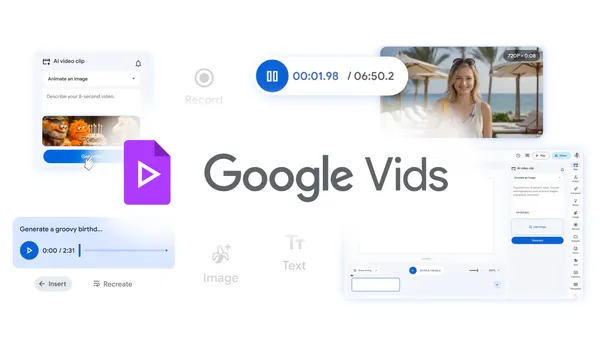

Google just dropped a pretty big update for Vids, their in-browser video editor. The headline: it’s now completely free to create, edit, and share videos. No subscription, no tiered pricing, just a Google account and an internet connection.
The real story here is what’s under the hood. Google is rolling out two new AI models — Lyria 3 for audio and Veo 3.1 for video generation — and they’re not holding back. I’ve been testing the preview for a few days, and the quality jump is noticeable.
Lyria 3: Audio that doesn’t sound robotic
Lyria 3 handles background music, voiceovers, and sound effects. The previous version was fine for quick projects, but the output had that slightly hollow, synthesized quality. Lyria 3 sounds warmer. More natural. I fed it a script about a local farmers’ market, and the generated voiceover had actual inflection — pauses where you’d expect them, emphasis on the right words. It’s not quite human-level, but it’s closer than I expected.
You can also prompt it for specific moods: “upbeat electronic for a product launch” or “calm acoustic for a travel vlog.” It understands context better now. No more getting a funeral dirge when you asked for “somber.”
Veo 3.1: Video generation that actually works
Veo 3.1 is the bigger deal. This is Google’s video generation model, and version 3.1 fixes most of the weird artifacts that plagued earlier iterations. Hands don’t morph into eldritch horrors anymore. Faces stay consistent across frames. Motion is smoother.
I tested it with a prompt like “a drone shot flying over a misty forest at sunrise” and got a 10-second clip that looked like it came from a stock footage site. Not perfect — there’s still some flickering in complex textures — but for a free tool, it’s impressive.
The killer feature is integration. You don’t generate a video and then import it. You work inside Vids, add clips, trim them, overlay text, and generate new footage on the fly. The AI fills in gaps. Need a 5-second transition? Just describe it. Veo 3.1 generates it inline.
What this means for creators
Google Vids was previously locked behind a Google Workspace subscription. That barrier is gone. Anyone with a Google account can now use it. This puts it in direct competition with tools like Canva’s video editor and Clipchamp, but with the advantage of Google’s AI models baked in.
The catch? You’re limited to 1080p output. No 4K. That’s fine for social media, internal communications, or quick projects, but it’s a dealbreaker for anyone needing broadcast-quality output. Also, the export watermark is present on the free tier — a small “Made with Google Vids” badge in the corner. You can remove it by upgrading to a paid plan, which still exists for enterprise users.
The bigger picture
Google is betting that free, high-quality AI video tools will drive adoption of their ecosystem. Vids integrates with Google Drive, Photos, and YouTube. You can pull footage directly from your Drive, edit it, and publish to YouTube without leaving the browser. That’s convenient, and it’s exactly how they’ll lock in users.
But I’m skeptical about the long-term sustainability. Running Lyria 3 and Veo 3.1 at scale costs real money. Google’s track record with free products is… mixed. Remember Google Reader? Google+? Even Stadia, though that’s a different beast. I’d expect either usage caps or a premium tier with higher limits within a year.
For now, though, it’s a solid offering. If you make short videos for work, school, or side projects, give it a try. Just don’t rely on it for anything mission-critical until we see how Google handles the economics.
One more thing: the export times are surprisingly fast. A 2-minute video with multiple AI-generated clips rendered in under 30 seconds on my connection. That’s better than most desktop editors I’ve used.
Comments (0)
Login Log in to comment.
Be the first to comment!